RSS

Tag Archives: programming

Best Practices for Easy Bulk Data Configuration

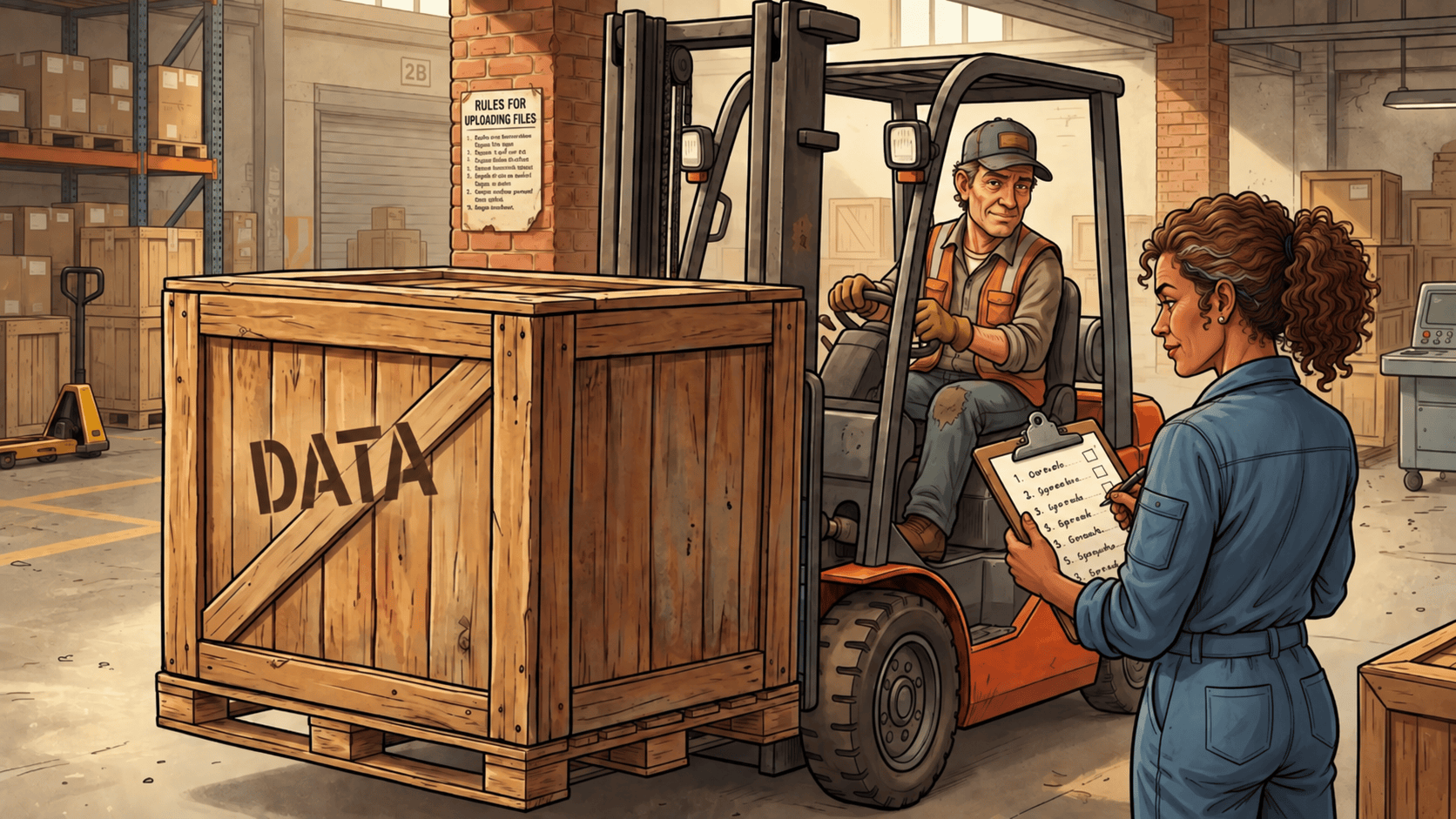
A warehouse scene featuring a forklift driver transporting a wooden crate labeled 'DATA'. A woman in a blue jumpsuit stands with a clipboard, checking items off a list. The background shows shelves of boxes and a rules sign on the wall.

Our customer-facing portal and some of our internal tools support bulk configuration via file upload. Over time, our experience has removed a lot of friction from the process making it a great enabler of efficient workflows. A few rules guide our work.

Meet Your Users Where They Are

Of the myriad file formats that can be used for structured data (XML, JSON, CSV, XLSX), some are well-suited for scripts and others are more human-friendly. In business, the universal editor for tabular data is Microsoft Excel. Libraries for C#, Python, and Java (among many other languages) make reading (and usually writing) Excel spreadsheets straightforward.

CSV is an important second option, especially in Linux-heavy environments. The files can be edited in the user’s text editor of choice and tools like CSV Kit allow scripting to manipulate the data. Of course CSV lacks formatting and calculations, but bulk configuration rarely has a need for those.

Rule 1: Support native Excel (.xlsx) first, and offer CSV as a lightweight alternative.

Tell Them What You Expect

It’s a truism that users don’t read documentation. You can write pages describing your upload requirements, but showing is better than telling. Right next to every upload button, provide a one-click download for a sample template with headers your system expects.

Rule 2: Provide a downloadable template at the point of upload.

Ignore What You Don’t Care About

Postel’s Law tells us to be liberal in what we accept. If an uploaded file has an extra column you don’t recognize, is that an error? Not really, you can just ignore it. Don’t assume your system is the only destination for the file. Similarly, ignore case when handling column headers; Username, username, and USERNAME should all map to the same field.

Rule 3: Be permissive with extra data and case variation in headers.

Enforce What You Do Care About

Validating each field in each row is standard practice. But bulk data processing must also have batch-level validation. Before you commit any data from an uploaded file, validate the entire batch, including across rows and against existing data. It’s easy to make sure every value in the batch is unique where necessary. But every value in that column must also be distinct from every value in the database you’re updating. An important edge case arises when swapping two values: the first row uses a value already stored in the database but when the whole batch is processed another row updates the database so the conflict no longer exists. Make sure your upload can handle swapping unique values.

Rule 4: Validate the entire payload against the target state before executing any writes.

Give Specific Feedback

If the user uploads a file of 100 rows, “Update failed” is not useful feedback. “Username ‘asdf$1234’ on row 4 is invalid; usernames cannot include $ or @” tells the user what they did wrong, where, and how to fix it.

Rule 5: Point directly to the row, column, and business logic error.

Give Exhaustive Feedback

It’s incredibly inefficient to stop at the first row with invalid data and make the user iterate until all the problems are fixed. Validation should process all the rows and report all the problems it finds. In the user interface, make it easy to copy that list of problems to another window for reference as the user works through addressing them.

Rule 6: Report every error in the file at once.

Data Rows Start at 2

Programmers may start counting at zero but normal humans do not. Bulk uploads have a header row and data starts at row 2. Provide feedback map internal indices to something natural to the user as seen in their editor.

Rule 7: Translate internal 0-indexed arrays to match the spreadsheet UI.

Frictionless Uploads Build Trust

File uploads are often treated as an unglamorous utility, but for power users, they are a primary interface to your system. Every uninformative error message, rigid schema demand, or broken row index adds unnecessary friction to their workday. By treating bulk upload as a core product feature (one that is forgiving on input and explicit on feedback), you turn a potentially frustrating task into a reliable, efficient workflow.


 
Leave a comment

Posted by on September 22, 2026 in Software techniques


Tags: , ,

Small Changes and the Art of Non-Destructive Review

Two landscapers discussing a planting plan in a garden, one holding a blueprint and pointing to a marked spot on the grass, while the other holds a shovel and gives a thumbs up next to a potted plant.

I think we’ve all experienced a system failure that occurs when we are sure nothing changed. But aside from that, it feels true that the smaller the change you make, the better are the chances that it will have no negative repercussions. Having someone review your proposed change improves its chances of success. And small changes are easier to review with confidence than big ones.

When doing file maintenance on a Linux system, I often end up needing to remove some files:

rm <some_pattern>

How sure am I that will do what I intend? Fortunately, listing and removing files in Linux are very close in syntax. I almost invariably precede an rm with a pattern by ls with the same pattern:

ls <some_pattern>

I review the output, convince myself only the intended files are affected, then use the up arrow key to recall the ls, change ls to rm, and press return to execute. I do not retype the pattern!

I can then press up twice and re-execute the ls to verify the files are gone.

Happily, SQL SELECT and DELETE have a similar relationship: the first finds and the second destroys. If I think I want to do:

DELETE FROM my_table WHERE <some_clause>

I generally first do:

SELECT * FROM my_table WHERE <some_clause>

Then, when I’m confident it selects the right rows, I edit the command changing only SELECT * to DELETE and nothing else and then execute it.

It’s less helpful that SQL SELECT and UPDATE have somewhat different forms so if I want to change data, I can’t just write a query and make a simple edit to update the same rows. At least not in an obvious way.

Recently, someone asked me to review their plan to update some data. They offered a fairly complex SELECT that identified the relevant rows and showed the data that needed to be changed. But then they offered a different query to find rows to update. I spent a few minutes looking at the two queries and decided I could not be confident they found and changed the same rows. A common table expression turned out to be the solution.

The query to find the relevant rows ended up something like:

WITH Changes AS (
-- a complex query
)
SELECT t.OldValue, c.NewValue
FROM table AS t
JOIN Changes AS c
ON c.ID = t.ID;

Of course, we could have listed more values from t if they were helpful but this was enough to

  1. Give the developer something safe to iterate on while developing the query logic
  2. Give me a harmless query to review carefully and run as needed to raise my confidence

Once we both felt that the complex logic in the CTE was correct, they had only to change:

SELECT t.OldValue, c.NewValue

to

UPDATE t SET OldValue = cNewValue

That is an almost trivial change that is easy to review. The complex query could have been tens of lines but it didn’t need to be reviewed again because it didn’t change.

They changed it, I reviewed it, they ran it. It did exactly what we wanted.

We often think of database safety in terms of transactions, permissions, or backups. But human-centric safety is just as critical. Good software engineering requires writing code that is easy for a person to read, review, and trust.

If a peer review requires holding two separate queries in your head to verify they target the exact same rows, the process itself invites error. Wrapping the selection logic in a CTE bridges the gap between shell simplicity and SQL structure: it lets you preview the precise impact before swapping out the verb, giving both author and reviewer total confidence.

Small, atomic changes make code easier to write, safer to review, and far less stressful to execute.

 
Leave a comment

Posted by on September 15, 2026 in Software techniques


Tags: , ,

Code of Theseus

A historical scene depicting shipbuilders working on a wooden boat at a bustling harbor, with a man sitting contemplatively nearby. The backdrop features a picturesque ancient city with classical architecture and ships in the water.

A recent post on Hack-a-Day about having an AI agent refine a sketch of a script into something production-ready somehow made me think of the Ship of Theseus. If you write the basic algorithm and initial proof of concept but an AI agent optimizes and adds error handling and more, is it still yours?

The script writer had a goal and got something working in short order but, oh, the details! Programs that persist (or crash!), servers that are unavailable or give inconsistent answers. If 90% of programming is error handling, who really wants to write that 90%? (The other 90%, of course, is user interface.)

I’ve written about having an agent do the grunt work and that’s exactly what this developer did. He had the agent fill in error handling and flesh out some features.

This is a good example of how I think these tools work best. The AI handles the implementation, edge cases, tests, and documentation, while the human provides design input and flags anything awkward or that doesn’t fit the intended experience.

This is a workflow I’ve found myself using a lot recently. I sketch something — in a script or simple program, or even as a brief requirements statement — and let the AI build it out. We work together to refine it. Sometimes it’s a realSometimes the agent goes off for a while and comes back with something to review. I look at it, use it a little, offer some critique or suggestion, and we repeat until done.

Come to think of it, this is similar to how I have often worked with interns or junior developers: I give direction and feedback but type a minority of the lines, if any at all. (In process as in product, everything old is new again.)

I’m happy for the help. It lets me concentrate on the big picture. But is the result my work? I’ll leave that to the philosophers.

 
Leave a comment

Posted by on September 8, 2026 in AI, Software techniques


Tags: ,

Looking Outside Your Domain for the Simple Fix

Engineers (including software engineers) need to be both curious and observant. You never know where the solution to your problem will come from but it often comes from outside your domain. I’ve written before about how data entry on the web has close parallels to mainframe remote job entry.

I recently bought a robot vacuum for my pool. It’s not “smart.” It doesn’t see debris and navigate to pick it up. It doesn’t map my pool and execute a regular pattern. It just does a Brownian walk around the pool and when it gets to an obstacle (a corner or the water line) it backs off, turns, and starts forward again.

But like many digital devices, my robot is not truly random. Would that it were. Rather it seems to favor turning in one direction. After an hour or two, the cord is twisted and tangled and I have to spend 10-15 minutes twisting it the other way before restarting or removing the vacuum. I almost wonder if it’s a true labor saver. (Almost!)

One solution to this would be for the robot to randomly choose its turning direction on every turn. But as noted, digital devices often struggle with randomness, and even true randomness could still result in a series of identical turns. However, my experience in the kitchen suggested a different idea. I’ve noticed that every time my microwave starts, the platter seems to turn in the opposite direction from the previous run.

Applying this to my vacuum, if every time it turned, it turned in the opposite direction from the last time the twists in the cord would be much less likely to accumulate. And left, then right, then left, then right is an ideal application for a digital device: keep a “turn direction” bit, 0 means turn left, 1 means turn right, and flip on each turn. Voila!

So, experience in the kitchen designed a solution for my problem in the yard. Stay curious and stay observant: it’ll make you a better developer.


Tags:

Storage is Essentially Free!

Twice in the last few days, I ran into low, artificial limits on how much text a website would allow me to enter into a field.

Once upon a time, this was reasonable. Disk was expensive. RAM was expensive. Constraints were real, and tradeoffs were unavoidable.

That time is long past.

Out of curiosity, I asked Gemini to help me research the history of nonvolatile storage costs. This is what I learned:

  • In 1956, an IBM 350 provided about 3.75 MB of nonvolatile storage for $9,200/MB.
  • Today — during a price spike caused by a NAND shortage — a 2 TB SSD costs around $250.

That’s a 99.99999864% reduction in price per megabyte, without adjusting the 1956 price for nearly 70 years of inflation. For all practical purposes, storage is free.

And yet, both places I hit limits this week were meant to hold directions.

In one case, I was updating instructions to cover a scenario that had been missed in the previous version. I couldn’t add the necessary text without hitting the limit. I trimmed the existing content and ended up with something serviceable, but fragile. The very next update will run into the same wall.

This is absurd.

Text (especially text meant to instruct) should be effectively infinite. Modern disks can handle it. Modern memory can handle it. The constraint is not technical; it’s conceptual.

(And don’t get me started on amateurs who think eight characters is enough for a first name, so I end up with mail addressed to “Christop!” See Falsehoods Programmers Believe About Names.)

 
Leave a comment

Posted by on February 10, 2026 in Software techniques


Tags: , , ,

DAGs in SQL

What is a DAG and Why Should You Care?

DAG stands for Directed, Acyclic Graph.  It sounds a bit obscure but it has many practical applications, especially in software design.  But what is it?  The first two words are just modifiers so, what is a graph?

Fundamentally, a graph is a mathematical abstraction.  I could tell you it is made up of nodes and edges but that’s still fairly abstract. You can visualize a graph as being islands (the nodes) connected by bridges (the edges), or cities and the roads connecting them.  Indeed, one of the classic software problems, the traveling salesman, is about just such a scene. The salesperson wants to visit their customers on all of the islands without visiting any island (or using any bridge) twice.  Is it possible?  Can you write a program to do it?  Or a program to show it’s not possible?

There are many variations on the problem. What if each bridge had a different toll and the goal is not to avoid repeats but to minimize total tolls paid?

Another interesting variation arises when the bridges or roads allow traffic to pass in only one direction. In the concrete, we recognize this as a one-way street.  In the abstract, it is a directed edge: an edge that can be used to go from A to B but not back from B to A.

A poor traveler with a bad map or a bad sense of direction might set out on a trip across these one-way bridges and come to realize they have been driving in circles (A to B to C and somehow back to A).  A good civil engineer might be able to set the direction of the bridges so that you couldn’t go in circles.  The graph corresponding to these islands and bridges has no cycles, it’s acyclic.

So, a directed, acyclic graph is one where the edges have direction and you can’t return to your starting point following the direction of the edges.

But why should you care?

Graphs are abstract but describe various real-world problems very well.  For example, consider the files and folders (or directories) on your computer.  We’re used to seeing these presented as an outline where you can navigate down from the root of the disk to a folder in the root, to another folder inside that, and so on and so on.  An outline or organization like this is a “tree,” a special type of directed graph where there is only one path from the root to the leaf.  Picture a real tree and you see the same thing: for any leaf, there is only one path from root to trunk to limb to branch to twig to leaf.

For a more complex example, consider trying to classify animals that have frequent contact with people.  We’ll exclude animals seen on safari or in zoos. We can start by dividing them into Farm Animals and Pets.  Horse, pig, chicken: all farm animals. Goldfish, canaries, guinea pigs: all pets. What about dogs? Dogs are great pets but they also are used on farms to herd livestock. So is a dog a farm animal or a pet?  It’s both. You can’t really use a tree to draw these categories but you can use a DAG!  There are two paths from the root to dog: Frequent Contact → Farm Animals → Dog, and Frequent Contact → Pets → Dog.  (We could divide farm animals into food animals and work animals, or pets into cuddly and not cuddly but dogs still fit two categories.)  A dog is not a goldfish or a pig but because going from one category to a subcategory is directional, we’ll never be confused about that.

A Simple DAG Database

Codd and others did a lot of work creating relational databases. Open source tools like MySQL and products like SQL Server have decades or maybe centuries of labor in them to implement those theories. An edge is a relationship between two nodes so why wouldn’t you use a relational database to store it? Why reinvent the wheel?

You might say because node and edge aren’t SQL types but neither are bank account and product, but banking and e-commerce systems certainly use relational databases.

How do we represent a node in SQL? A table, naturally. What columns does the table have?  Names are convenient for people to refer to things but numeric IDs are somewhat better for computers. So, let’s say a node has an ID, a name, and (why not?) a description.

CREATE TABLE [dag].[DagNode](
[ID] [int] IDENTITY(1,1) NOT NULL,
[Name] [nvarchar](50) NOT NULL,
[Description] [nvarchar](250) NULL)

An edge connects two nodes.  The ID we gave nodes gives us an easy way to represent the nodes.  The natural way to present this is a two-column table where each row is two IDs: one for the parent (the source of the edge) and one for the child (the destination of the edge).

CREATE TABLE [dag].[DagEdge](
[ParentID] [int] NOT NULL,
[ChildID] [int] NOT NULL)

Leaves and Referential Integrity

The table creation above omits the referential integrity constraints in my live database. The DagEdge table in my database has foreign key constraints that make sure both IDs refer to an actual node.

But what about leaves? In graph theory, a leaf is a node with only one edge. But that has some limitations in a database. First, the items we’re organizing in a DAG likely have different attributes than the name and description on a node. So, we create a new table for our leaves.

CREATE TABLE [dag].[DagLeaf](
[ID] [int] IDENTITY(1,1) NOT NULL,
[Name] [nvarchar](50) NOT NULL)

But then, we can’t use DagEdge to connect a node to a leaf because of the foreign key on ChildID. So, we create a new table to hold the node/leaf relationships.

CREATE TABLE [dag].[DagNodeLeaf](
[NodeID] [int] NOT NULL,
[LeafID] [int] NOT NULL)

And then add foreign keys to those referring to DagNode and DagLeaf, respectively.

While the DagNode and DagEdge tables are generic, we need a data table and a relation table for every type of data we’re going to organize into DAGs.

Examples

Code supporting this post is available on GitHub. That includes a script to create the tables mentioned above (complete with indices and constraints), a script to populate with some sample data, and a script full of sample queries to show how the data and functions behave. My examples are for SQL Server. Other databases of interest are MySQL and Postgresql. I’m happy to consider pull requests for those or others you may choose to implement.

Thanks

Thanks to CyberReef for allowing me to share this code. Something like it is used in the MobileWall product and related services. Hopefully, I didn’t add too many bugs as I tried to abstract the concepts.

Thanks, also, to my colleagues Carmen, Jessica, and Siva who reviewed the original code and provided valuable feedback.

 
Leave a comment

Posted by on December 4, 2025 in Software techniques


Tags: , , ,

Test 25x Faster!

My very first professional programming project was debugging and completing a lab automation system written in BASIC. It ran on a desktop HP computer and controlled instruments and equipment through GPIB. The challenge was that it controlled experiments in “real time,” not the “really fast response” that “real time” often means, but rather by the clock. It would do something, wait a minute or 15 minutes or something, do the next thing, wait a while, etc. The system started with bugs fairly early in the run of the experiment so I could start the program running, take a short break, and come back to find the program had crashed. I’d figure out what went wrong, fix it, and start the program again. But this time the program didn’t crash in the code I’d just fixed; it ran longer and crashed in 10 minutes instead of the previous five. Do you see where this is going? Eventually, I had to wait hours for the next crash and the better the code got, the longer I had to wait to fix the next issue!

My current team also does work that has to happen by the clock. The software counts some things and takes certain actions at certain limits. The counts reset at the end of the period which might be an hour, a day, a week, or a month. We can fake the data that causes the counts to change, but we don’t want to wait around to see if a monthly action works as it should. And messing with the system clock to fool the software is messy. Fortunately, one of the most interesting aspects of the system (one that we need to test carefully and repeatedly to avoid regression) involves when things are supposed to happen at different time scales. Do things that happen at a small time scale interact appropriately with things that happen at a larger time scale?

Once we were confident that the system properly recognized the end of an hour, day, etc. (in core code that was unlikely to change), we sought a way to speed up testing of other features so we didn’t have a month-long test in our release process. What we realized is that an hour is 1/24 of a day and a day is around 1/30 of a month. So if our production system is primarily concerned with days and months, we can take production configuration, change days to hours and months to days, and test in roughly 1/25 of the time. An overnight test with this substitution effectively tests two weeks (14-18 days) of real execution that straddles a month boundary. A weekend-long test covers 3-4 months of real world cycling through the logic in the system! And we don’t have to disable NTP or play any other shenanigans with the system time.

Just don’t ask me what happens around Daylight Saving Time transitions.

 
Leave a comment

Posted by on June 17, 2024 in Uncategorized


Tags: , ,

Language Shapes Thought

My wife is a public relations professional. She works daily with the English language. When reviewing or editing a colleague’s or client’s writing, she is constantly looking to see if it is clear and if it is correct. English has rules and while they may be looser than those imposed by computer languages, they are important to clear communication. We frequently discuss the irony that when I am reviewing code, I am doing the same thing but in various computer languages. I work to make sure the code clearly communicates intent to the computer and comments clearly communicate intent to other developers.

Some formality can be achieve with things like UML but, for the most part, my colleagues and I talk about code using English. We might say that two files in the same directory are “siblings.” Or that one node in a DAG is a cousin to another. These kinds of relationships are important and I’ve found myself realizing that there’s no easy way to refer to a parent’s sibling. Of course English has “aunt” and “uncle” but those gendered words don’t fit well in computer science.

I was reminded of this recently when I read A Psychologist Explains How The Language You Speak Manifests Your Reality in Forbes. It talks about how language shapes perception and what you can convey. In Mandarin, it seems, the word you choose for “aunt” conveys whether she is on your father’s or mother’s side, as well as whether she’s an aunt by birth or marriage. (They don’t say if there is a vague, gender-neutral word for “parent’s sibling.”) I was also intrigued by Bilingualism Is Reworking This Language’s Rainbow (in Scientific American) which discussed how some human languages are better than others for describing a range of colors.

Similarly, computer languages restrict what you can express easily, and in some cases limit what you can do at all. Early in my computer science education, I took a course called “Computer Languages.” It was a survey course designed to introduce students to varied languages. It covered APL, LISP, Fortran, and SNOBOL. The instructor drove home the strengths and weaknesses of the languages by having us use each language to solve a problem it was ilsuited for. We were tasked with solving the travelling salesman problem in Fortran. That is a classic illustration of the power of recursion, often used to demonstrate how LISP works. But Fortran does not support recursion!

It is said that to a man with a hammer, every problem looks like a nail. If Fortran was the only language in my toolbox I could be forgiven for using it when presented with a problem better suited to LISP or C. But my toolbox contains more than a dozen languages. I can and do pick from a handful of modern candidates when picking the tool for a new problem.

As a hiring manager, I’ve often said that I would prefer not to hire a developer who only knows one language. But even two similar languages are fairly limiting. I’d look for a compiled language and a scripting language. Or a procedural language and a declarative language. If you know C, you can get up to speed on C# fairly quickly. But if all your experience is in procedural languages, you’re likely to write a lot of loops in C# instead of using LINQ. If you know SQL, then LINQ feels natural. Like a Tsimane’ speaker borrowing azul from Spanish to describe blue, knowing multiple computer languages allows you to express more programs more clearly than you could otherwise.

Languages — human and computer — grow by borrowing from other languages. Speakers and programmers benefit from knowing more than one language, even if they routinely use just one. Go learn another language; whether it is your 3rd or 13th you’ll be a better programmer for it.

 
Leave a comment

Posted by on March 20, 2024 in Uncategorized


Tags: ,