When you see a sign promising “free Wi-Fi” do you think, “Great, now I don’t have to burn my data plan”? If that’s all you see, you should be thinking, “That’s not safe!” In the next few paragraphs, I’ll try to explain why.
Pick the Right Network

As you approach the gate, you see a sign that says the airport has free wireless internet. You have some time before your flight so you open open the Wi-Fi network settings on your phone, find an access point named “Free Airport Wi-Fi” and you connect. But wherever there is a cluster of businesses, there is a storm of Wi-Fi signals and it’s often difficult to tell which one to use. Maybe you should pick “Airport Wireless” or “TWC Guest Wi-Fi.” It may be that all the signals come from legitimate services but it isn’t hard for someone to set up a fake access point and listen in on your searches, or music streaming, or email exchanges, or banking. It’s called a “man in the middle attack” and it can be tough to detect.
What happens is you connect to the fake access point and it connects to some other internet service. Your network traffic is received by the Bad Guy, recorded or processed and also forwarded to the intended recipient. Responses go by the same route in reverse. Your passwords and other sensitive information are no longer private.
Rule 1: Only connect to Wi-Fi provided by someone you trust who provides you the name.
Secure the Connection

You get to your doctor’s office or hair salon and there’s a sign that tells you the name of the Wi-Fi access point they provide for their patients or customers. That’s a big step forward from “Free Wi-Fi Available” but is it enough? Not really. The connection between your phone or computer and the Wi-Fi access point is radio signals flying through the air and anyone who can receive them can eavesdrop on your network usage. The answer to that is to encrypt the connection and that is done by providing a password or key. The cryptography is beyond the scope of this post but, essentially, the Wi-Fi protocols use the key (which is the same for everyone) and some other information to make a different encrypted channel for each user. As a result, even though someone else knows the password and can receive your signals, those signals are just gibberish to them.
Rule 2: Only use Wi-Fi when it is secured with a password provided by someone you trust.
A Password is Not Enough
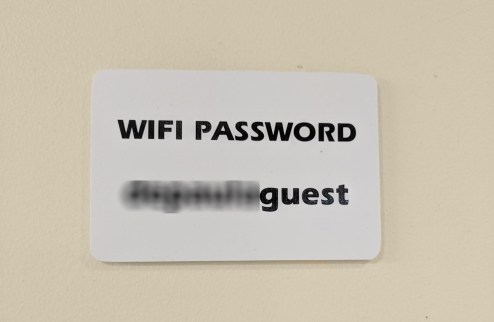
Don’t be lulled into a false sense of security if you see only a password posted. It might be okay if there is only a single access point available but more likely you’ll see many. While one may be legitimate, any other might be a hacker who has set up access with the same password and is waiting to steal your data.

Enjoy Your Coffee

You take your latte and your laptop and find a table at your favorite coffee shop. There’s a sign on the wall telling you the name of their Wi-Fi access point and the password you need to connect. Is it safe? Likely. You and your host have done all you can to make your wireless networking as secure as practical. Their router could be infected with malware, your bank or email provider may have been hacked, or any number of other things beyond your control could still make your digital life difficult but go ahead. Connect and log on using your strong password. You do have a strong password, right? We’ll leave that discussion for another day.
Rules for Network Providers
Providing free Wi-Fi to your customers is a service. But please do it right and don’t put them and their information at risk. It’s not hard.
- Give your access point a clear, specific name. Don’t be generic like “Free Wi-Fi” and don’t accept the default name that your router provides.
- Enable the highest level of Wi-Fi security your router provides. Today that’s likely WPA2 but WPA3 is coming.
- Set a clear password for your access point. Unlike login passwords, Wi-Fi passwords don’t need to be complex or obscure.
- Clearly display the name of the access point and the password on a professional-looking sign. A wrinkled piece of copier paper might have been taped up by a visiting Bad Guy.
- Don’t make me land on an advertising page when I connect. (OK, that last one is just my personal pet peeve. But really. Just cut it out.)